Home / Statistical Tools / Reliability / Censored / Reliability: Fitting Censored Data
Reliability: Fitting Censored Data
From Excel click...
QXL Stat Tools Tab > Reliability > Censored > Choose Distribution
Quantum XL can fit both Censored and Uncensored Data. This topic covers censored. If your data is uncensored, see Fitting Uncensored Data.
Quantum XL supports fitting the following distributions: 2-Parameter Normal, 1-Parameter Exponential, 2-Parameter Exponential, 2-Parameter Logistic, 2-Parameter LogLogistic, 3-Parameter LogLogistic, 2-Parameter LogNormal, 3-Parameter LogNormal, 2-Parameter Weibull, 3-Parameter Weibull, 2-Parameter Gumbel/Smallest Extreme Value (SEV), and Johnson Distribution.Auto-Fit will analyze your dataset, fit all of the available distributions, and then present the results in rank order.
Step #1: Select data source for Analysis.
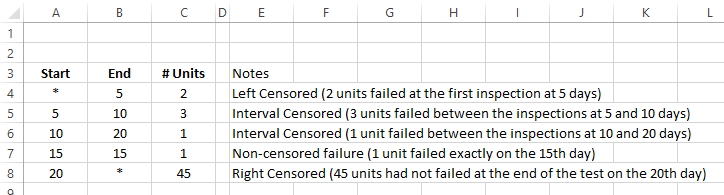
As a minimum, the data should include a start and end column. Optionally, a frequency column can be used. For more information, see Censored Data Format.
Step #2
From Excel click...
QXL Stat Tools Tab > Reliability > Censored > Choose Distribution
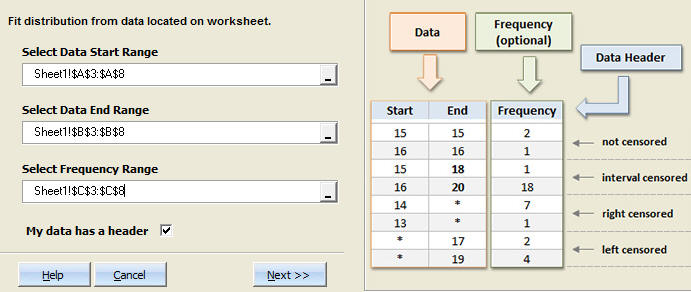
Step #3: Select the data range which contains your data.
As a minimum, you must provide the Start and End Range. Optionally, you may include a Frequency Range.
Step 4: Enter Spec Limits and Confidence Interval
If you provide specification limits, Quantum XL will calculate the area out of specification. Change the confidence interval for the resulting analysis (optional). If you wish to have a hazard and survivor plot created, check the checkbox (optional). When you're done selecting the desired options, click on the "Create reports for selected distributions" button.
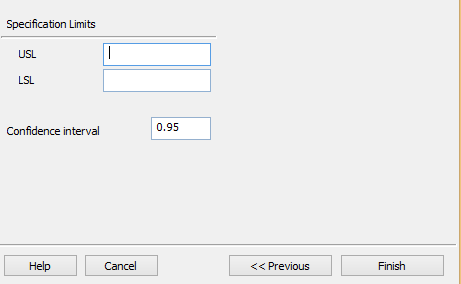
Specification Limits (Optional): If you enter the Upper and/or the Lower Specification Limit, Quantum XL will calculate the associated probabilities in the report.
Confidence Interval: The resulting report will include confidence intervals for estimated parameters. The default value is 95%, but you may enter any value greater than 0 and less than 1.
Step 5: Click "Finish". Quantum XL will create the analysis.
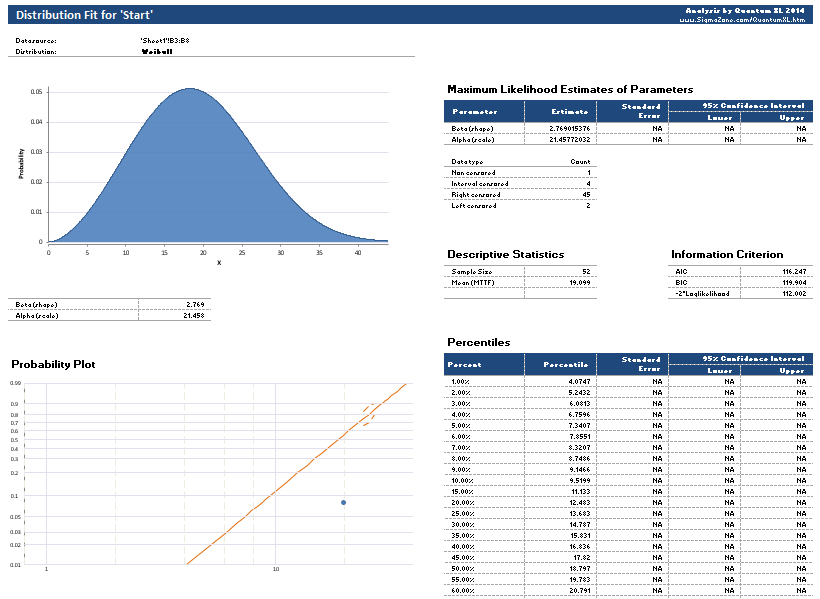
For more information about the analysis, see Understanding Distribution Fit Results.