Home / DOE / Create Designs / Three-Level Factorial Designs
Three-Level Factorial Designs
From Excel click...
QXL DOE Tab > Create Design > Create 3 Level Factorial Design
Full and Factorial Designs can be created by selecting QXL DOE Tab > Create Design > Create 3 Level Factorial Design.
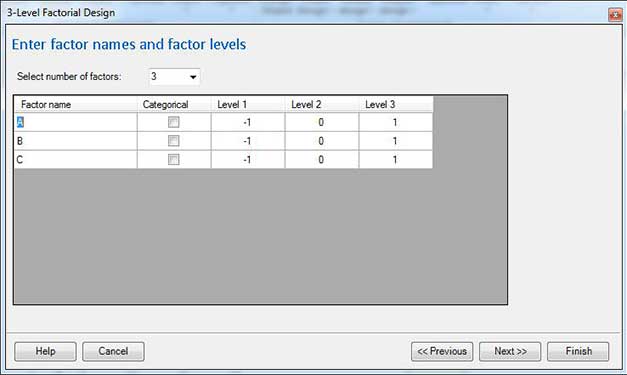
Enter factor names and factor levels
Select number of factors: Change the drop down box to reflect the number of factors in your experiment.
Factor name: Enter a unique name for the factor. Make the name short but descriptive. For example, use "Temp" instead of "Temperature" as it will make reading the results in the regression table easier.
Categorical: Check the box for the factor if the input is Categorical (qualitative). Leave it empty if the input is Quantitative. Click here for more information about Quantitative vs. Categorical.
Level 1, Level 2, Level 3: Enter the level for each factor.
Quantitative Variables: If the variable is quantitative, the levels should be numeric values. For example, Level 1 = 100, Level 2 = 200, Level 3 = 300.
Categorical (Qualitative) Variables: Enter three unique values for each level. Example: "Vendor A", "Vendor B", "Vendor C".
Define outputs (responses)
Click here for more information...