Home / Statistical Tools / MSA / MSA Template
MSA Template
From Excel click...
QXL Stat Tools Tab > MSA (Gage R&R) > Create MSA Template
The data source for Measurement System Analysis can be stacked format, summarized data, or an MSA Template. This help topic addresses the MSA Template.
MSA Template wizard will help you to determine the correct type of template based on the collected data.
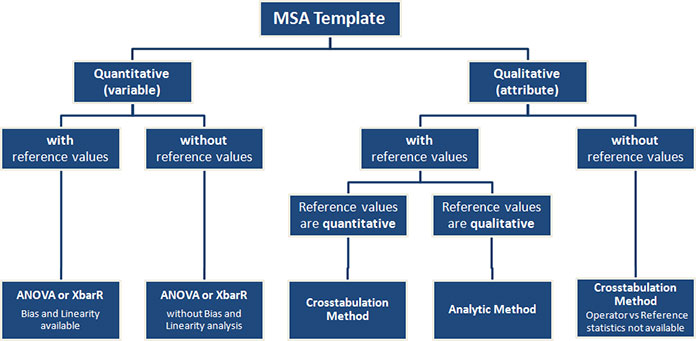
Diagram of available analysis based on the template type:
Step #1
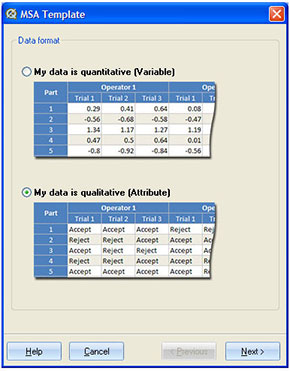
Select whether your data is quantitative or qualitative. Quantitative (variable) data comes from a continuous scale. Qualitative (attribute) data has only two possible results -- GO/NO-GO. The actual values for attribute data can be any combination of text and numbers. It is only important that the entire dataset consists of only two distinct values.
Step #2
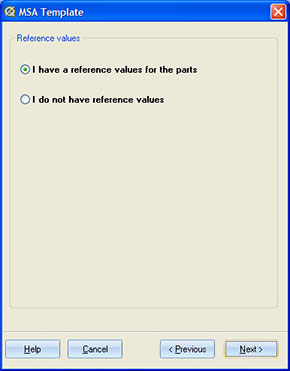
Select whether you have collected reference values for the part or not. If you do not have reference values, some results will not be displayed after you run the analysis. Check ANOVA, XbarR and Crosstabulations for more details. Reference values are required for the Attribute Analytic Method.
Step #3
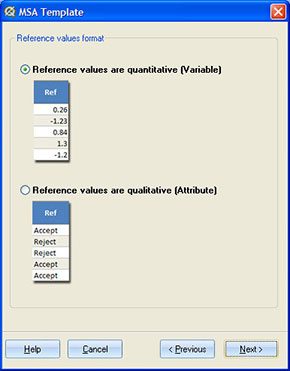
Select whether your reference values are quantitative or qualitative (see the difference between quantitative or qualitative data in Step #1 above). This step is available only if you have selected 'Attribute data' at step #1.
Step #4
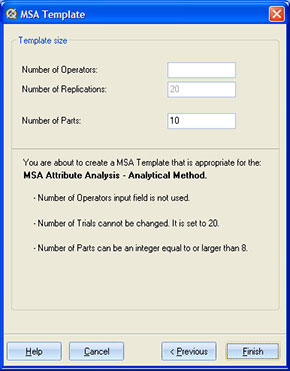
Define the size of the template.
For ANOVA, XbarR and Crosstabulations you can set:
-
Number of parts. You must have at least 2 parts, although 10 or greater is more common.
-
Number of operators (appraisers). You must have at least one operator.
-
Number of trials (replicates).
For Attribute Analytic Method you can set only number of parts. Number of replications has constant value of 20.
Result
The MSA Template has a heading section and a body. In the heading section you can enter specification limits (UCL > LCL) or Accept and Reject values for Attribute Analysis. Accept and Reject values can be numbers, text, or a combination of both. Only those two values can be used in MSA Template when running Attribute Analysis.
'Ref' column in the body section of MSA Template is used for reference values when you have a true measurement for a part.
After you enter data into the template you can run one of five MSA methods: ANOVA, XbarR, Nested ANOVA, Attribute -- Crosstabulation Method or Attribute -- Analytic Method.
The data source for MSA can be also in stacked data form (database format) or summarized data. You can convert MSA Template to database format using Stack Columns feature.