Home / Statistical Tools / Additional Tools / Stack/Unstack Data / Unstack Columns
Unstack Columns
From Excel click...
QXL Stat Tools Tab > Stack/Unstack Data > Unstack Columns
Unstack Columns will transform data that is in database format (in columns) to a table format. An example of table format is the MSA Template.
Standard mode
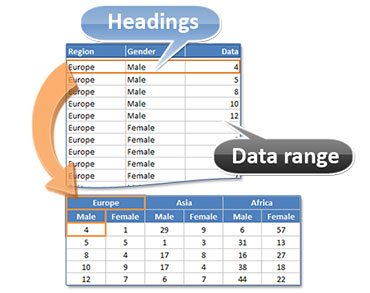
- Source: Multiple Heading columns and a single Data column.
- Result: Resulting table will have as many heading levels as there were Heading columns. Each data point will be placed under appropriate heading level.
Advanced mode
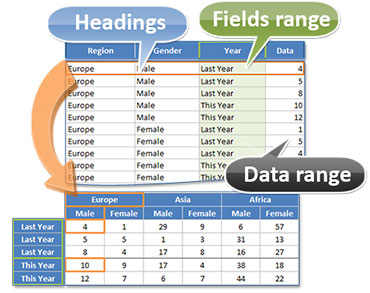
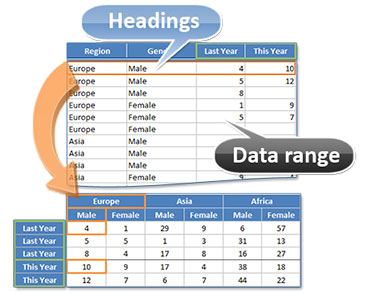
- Source: Multiple data columns without Fields column, or a single Data column with a Field column provided.
- Result: Resulting table will have as many heading levels as there were Heading columns. If the Field column is provided, values from that column will be used for row headings. Otherwise, Data column titles will be used for row headings.
| A single Data column and Fields column | Multiple Data columns |
|---|---|
 |
 |
Noncontiguous ranges are not supported. Although Headings, Fields, and Data ranges do not have to be side by side, each of these ranges must be contiguous.
See also: