Home / Statistical Tools / QFD, FMEA, & Pugh / Pugh / Create And Modify / Remove Alternative
Remove Alternative
Steps to remove an alternative from the Pugh Matrix:
Step #1: Select a cell in a column you want to remove by clicking on the cell with the mouse.
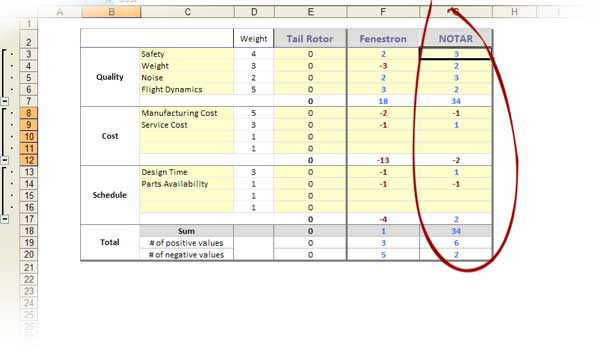
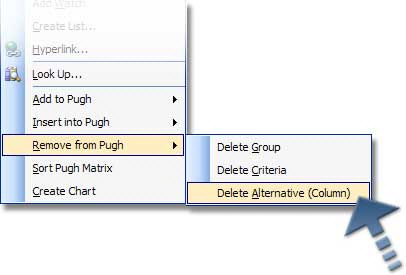
Step #2: Select QXL Stat Tools Tab > Pugh > Remove > Column (Alternative) from the Excel menu or by right-clicking with the mouse in the cell you want to remove and choosing Remove from Pugh > Delete Alternative (Column) from the right click menu.
Note
Data to the right of the current column will be shifted left. There must be at least one alternative in the Pugh Matrix.