Home / Statistical Tools / Hypothesis Tests / AutoTest
Autotest
From Excel click...
QXL Stat Tools Tab > Hypothesis tests > AutoTest
The purpose of the AutoTest feature is to analyze the data and automatically run the test for variance and mean/median.
AutoTest supports only quantitative data. For more information on AutoTest limitations please check this article.
How to run Autotest
Step 1: Select from the menu Quantum XL > Hypothesis tests > Run AutoTest.
Step 2: Select the data you want to analyze.
... and that is all. Quantum XL will analyze the data and run the appropriate tests.
The only question the user has to answer is about data being paired. This may occur when Quantum XL decides whether to run two-sample t-test or paired t-test.
Results
The output of AutoTest includes:
-
Variance test
-
Location parameter test (Mean or Median, depending on whether data is normal or not)
-
Box plot chart
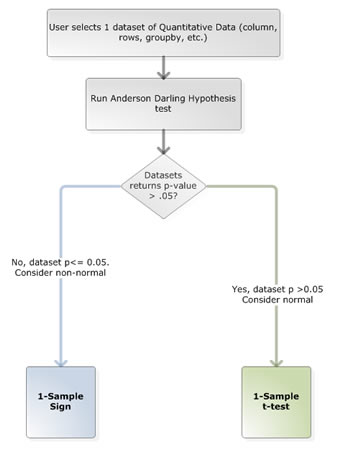
How Quantum XL decides which test to run?
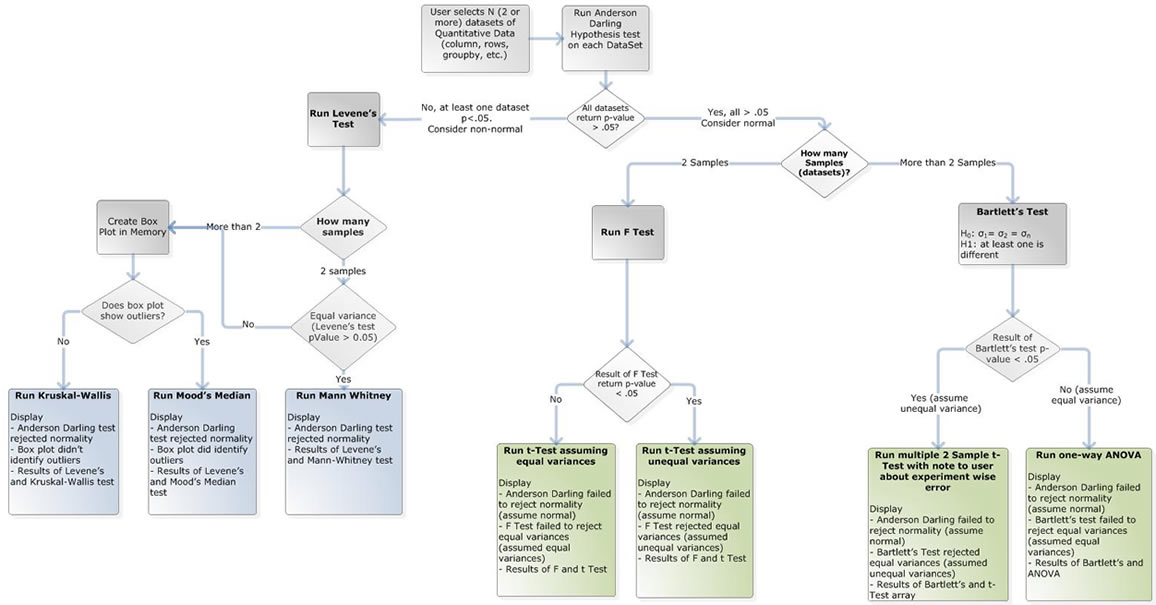
Quantum XL analyzes the following dataset properties to choose the correct test:
-
Number of variables (one or two).
-
Number of samples.
-
Normality.
-
Variance equality.
-
Presence of outliers.
Based on these properties, Quantum XL can choose the appropriate test.
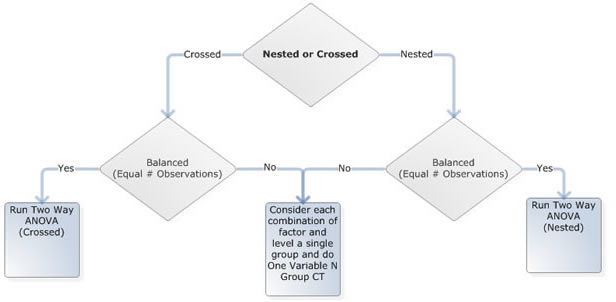
The AutoTest flow is given below:
Main flow
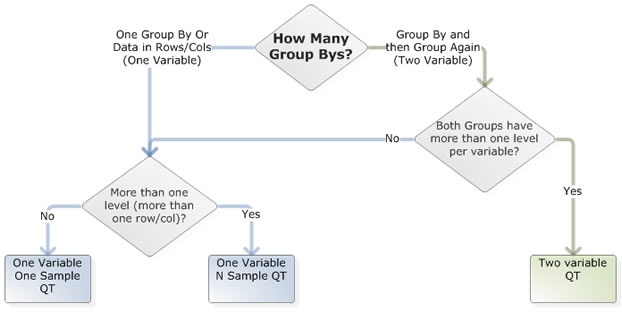
Two variables tests
One variable N samples tests
One variable One sample tests