Home / Statistical Tools / QFD, FMEA, & Pugh / QFD / Qfd Help / Sort HOQ
Sort HOQ
From Excel click...
QXL Stat Tools Tab > QFD > Sort HOQ
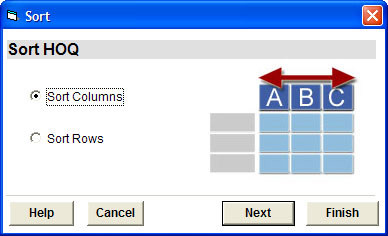
Step #1: Select whether to sort the HOQ by columns or rows. If you press 'Finish', the HOQ will be sorted by defaults. If you press 'Next', you will be able to specify additional sort options at Step #2.
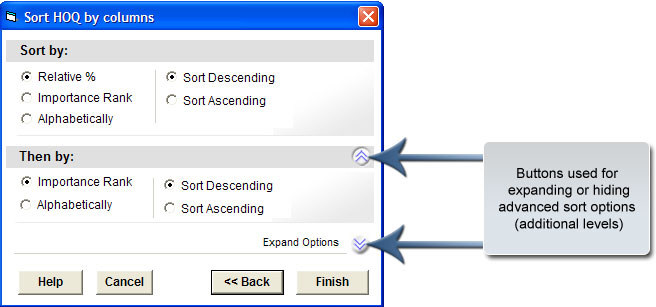
Step #2: If 'Sort Columns' is selected at Step #1, the House of Quality can be sorted by 'Relative %', 'Importance Rank', or 'Alphabetically', or by a combination of those. If you specified 'Sort Rows', you can sort the HOQ by 'Importance Rating' or 'Alphabetically', or by a combination of those. Click on the arrow button next to 'Expand Options' to hide or show advanced sort options.