Home / Statistical Tools / QFD, FMEA, & Pugh / QFD / Qfd Tutorial / How to create PCM
How to create PCM
Step #1: Select QXL Stat Tools Tab > Pairwise > Create New Pairwise... from the menu bar.
Step #2: Enter the number of customer requirements.
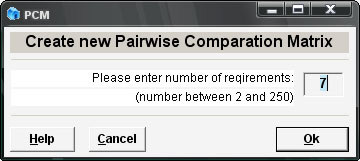
Step #3: Press Ok.
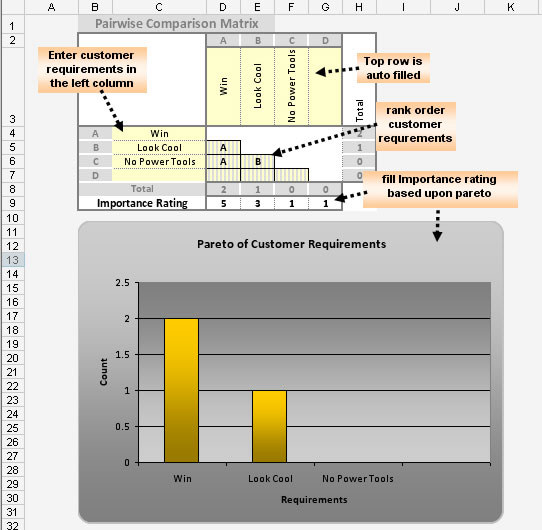
A new worksheet will be created. It will contain an empty pairwise comparison matrix (PCM). The left column and top row represent customer requirements. The left column is used for entering customer requirements. The top row will be filled automatically.
Step #4: Enter customer requirements in the left column.
Step #5: Rank order customer requirements.
Step #6: From the QXL Stat Tools Tab, select Pairwise > Pareto Pairwise.
Step #7: If you want to override automatic ratings, you can use the Pareto chart to fill the importance rating row.
Following is an example of creating a PCM for a pinewood derby race car.