Home / Statistical Tools / QFD, FMEA, & Pugh / QFD / Qfd Help / Modify HOQ Dialog
Modify HOQ Dialog
From Excel click...
QXL Stat Tools Tab > QFD > Modify HOQ
-
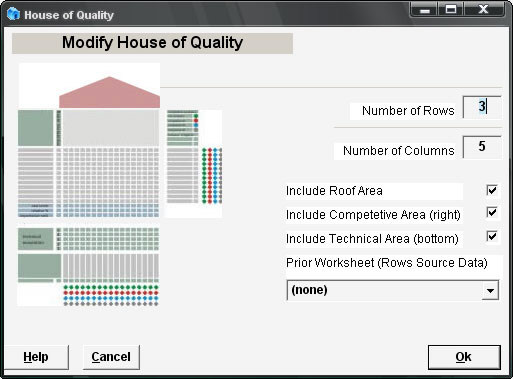
Number of Rows: Edit box where the user enters the new number of customer requirements for the existing HOQ. The number is in the range between 2 and 250. (Trial version is limited to four rows.)
-
Number of Columns: Edit box where the user enters the new number of product characteristics for the existing HOQ. The number is in the range between 2 and 250. (Trial version is limited to four columns.)
-
Area check boxes: Use check boxes to turn on/off the display for each HOQ area.
-
Image on the left: Click each part of the image to turn on/off the display for each HOQ area.
-
Prior Worksheet Combo Box: Modifying prior worksheet (PCM or HOQ) for existing HOQ.
-
Help Button: Brings up this Help.
-
Cancel Button: Return to Excel, making no changes.
-
Ok Button: Return to Excel and modify the existing HOQ.
See also House of Quality Info