Home / Monte Carlo / Additional Tools / Rocket and Native mode
Rocket and Native mode
Quantum XL can perform simulations in:
-
Rocket mode
-
Native mode
Rocket mode
To provide rapid simulation capability, Quantum XL uses a proprietary math engine. Although Quantum XL calculates formulas much faster than Excel, it is possible that Excel's results and Quantum XL's results will not match. It is a good practice to perform a syntax check and model validation before running any Quantum XL feature. Quantum XL will usually fail to run in Rocket mode when the equation you are using is not supported by Excel and is supported by Quantum XL or vice versa. The list of supported functions is available here. Quantum XL can also fail to run in Rocket mode if text arguments are used in the model; they are not supported in Quantum XL.
By default, Quantum XL will first try to run in Rocket mode. If it fails, it will continue to run in Native mode. These settings can be changed in the Options dialog.
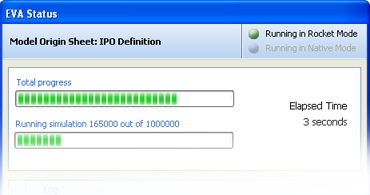
The top right part of the progress dialog has current mode indicators.
Native mode
Quantum XL can use Excel's calculation engine to run simulations. There are no limitations regarding functions and arguments in this mode. The drawback is that accessing Excel's engine is slow -- much slower than accessing Quantum XL's calculation engine.