Home / Monte Carlo / Model Building / Fit From Data
Fit From Data
From Excel click...
QXL Monte Carlo Tab > Mark Input >

After you have created the model, you can give your model's inputs variation by marking them as Inputs. Input distribution can be selected manually from a dropdown list, or you can let Quantum XL determine the distribution based on existing data.
Step #1: Select data source
Open the 'Define input' dialog, and click the button 'Fit from Data'. Quantum XL will ask you to select a range of cells.
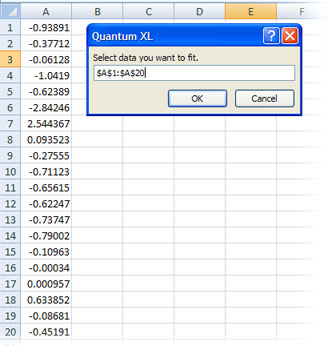
Step #2: Select distribution.
Quantum XL will create a list of distribution names, p-values, and distribution-specific parameters. The larger the p-value, the more likely the data fits the distribution. The list is sorted in descending order -- the distribution that best fits your data will be on top. Double-click the distribution you want to use for your input or press 'Use selected distribution'.
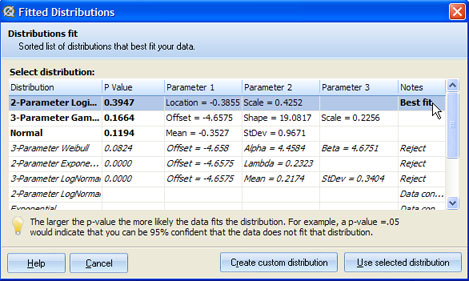
Create Custom distribution
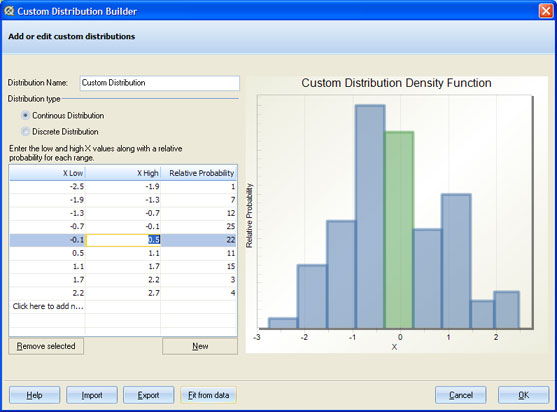
If none of the offered distributions is good enough, you can select 'Create Custom distribution' and Quantum XL will generate a Custom distribution based on the provided dataset.